
Archives par catégorie : Windows
Installer une icone pour afficher le bureau
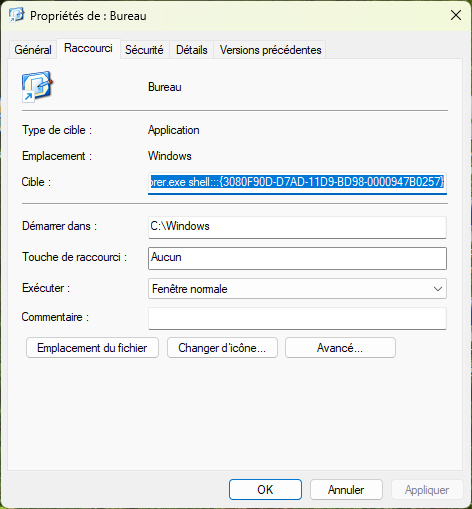
Pour créer un raccourci vers le bureau,
- créer un raccourci
- indiquer comme cible la commande suivante :
C:\Windows\explorer.exe shell:::{3080F90D-D7AD-11D9-BD98-0000947B0257} - sauver le raccourci et le placer dans la barre de tâches
Libérer une requête
Pour vérifier si une requête est ouverte et la refermer
SI HFichierExiste(MaRequête) ALORS
      HlibereRequete(MaRequête)
FIN
How to schedule to restart a Windows server
In a case you want to restart a windows server at a certain time, you can use shutdown command plus Scheduled Tasks. Here are step by step:
1. Create a batch file called downtime.bat using notepad.
2. Add this line in the batch: shutdown -r -f -t 30 and save the downtime.bat at c: drive.
-r = Shutdown and restart the computer
-f = Forces running applications to close without warning,
-t 30 = Set timeout for shutdown to 30 seconds
3. Open Scheduled Tasks by going to Start>All Programs>Accessories>System Tools.
4. Click Add Scheduled Tasks.
5. Browse the downtime.bat from c: drive.
6. Follow the screen to setup the day and time.
7. Assign a user who has administrator rights and finish the settings.
Note: the shutdown options may differ depending on the version of the shutdown command.